Fireface UCX on Linux: reverse engineered and built with Claude Code
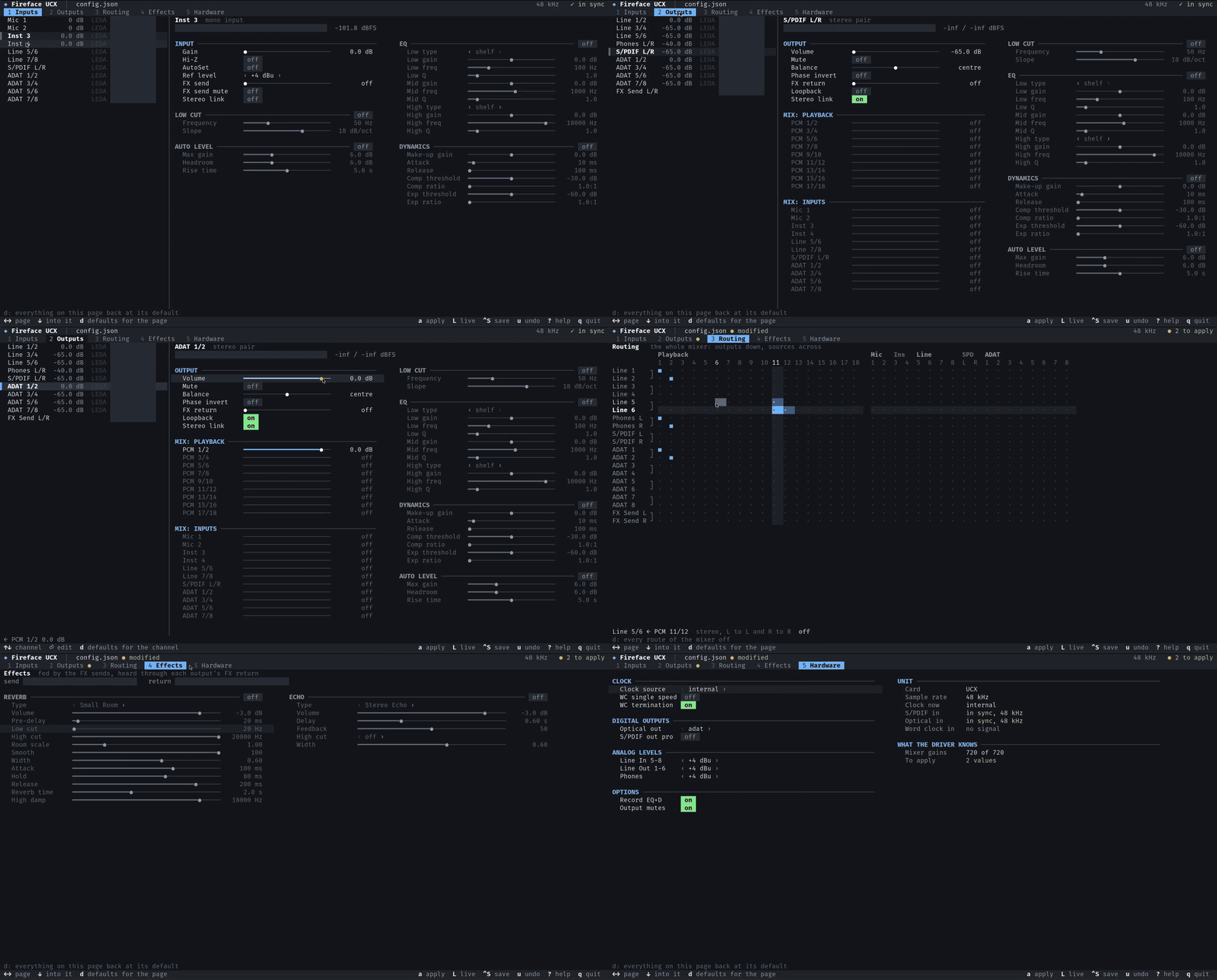
Last week I finally got my RME Fireface UCX working properly on Linux. Not just as a basic USB sound card, which it already was, but with the whole mixer and effects section under my control from a little terminal mixer I can keep open while I listen.
RME has never published the protocol, so I had Claude Code and an AI reverse-engineering toolkit read the Windows driver for me, and spent the rest of the week checking what it found against the actual hardware. The result is the documented protocol and the whole package you would otherwise only get on Windows: a kernel driver, a mixer app and the tools around them.
On top of that, latency is low: 3.5 ms round trip at 48 kHz through PipeWire, which has made a real difference to my music production setup.
Why bother
The UCX works on Linux out of the box in Class Compliant mode, and you get all 18 channels in and out. What you don't get is the DSP inside it. The mixer, EQ, dynamics and reverb stay however RME's TotalMix FX app last left them, so if you want to change your routing, you need to boot into Windows. RME also says its own driver mode outperforms Class Compliant mode on latency, so on Linux I was missing out there too.
That's a familiar story in Linux audio. There's a lot of great hardware whose best features live in a vendor app that will never be ported. Someone could always have written a driver, but few people will spend weeks in a disassembler for one model of a decade-old interface.
Letting the AI read the driver
I paired Claude Code with REA, an MCP server that lets an agent use proper reverse-engineering tools like Ghidra's decompiler and rizin. In practice I could ask questions about the driver, and Claude would decompile the relevant functions, follow the calls and come back with names for what it found.
Working up from the USB layer, it found the requests the driver sends, how audio streaming is set up and how TotalMix encodes a fader move. Along the way it noticed that the mixer commands use the same format as RME's FireWire interfaces, which the Linux FireWire audio folks had documented years ago. That alone saved a lot of time.
Claude did all of the slow digging through decompiled code, and it was really good at it. What it couldn't tell me was what the hardware does with any of it, since the binary only shows what Windows sends.
What you get
The project covers a lot of what RME ships for Windows, rebuilt for Linux:
| On Windows | On Linux, with this project |
|---|---|
| RME's USB driver |
snd-fireface-ucx, a kernel driver: 18 channels at 32–192 kHz, both MIDI ports, hot plug,
sleep and resume
|
| TotalMix FX |
ucxtui, a mixer in the terminal with meters, a routing grid, EQ, dynamics, reverb and echo
|
| The Settings dialog | the Hardware page in ucxtui: clock source, word clock, S/PDIF and ADAT options |
| Setups saved in TotalMix |
one JSON file that describes the whole unit, applied by ucxcfg, automatically whenever
the unit is plugged in
|
Every setting is also a plain ALSA control, so alsamixer and scripts can reach it too. And
because it's all in the kernel and standard ALSA, PipeWire, JACK and every audio app just see a normal sound
card.
Not a line of code by hand
I didn't write any of the code myself. Claude wrote all of it, but my experience as a programmer still shaped how it was built. I pushed for a declarative design, where one config file describes the whole unit and both the config tool and the terminal mixer work from that description. I also pushed for fuzz testing, clang-tidy and other static analysis, and builds with sanitizers turned on to harden the code.
A week of cables and test tones
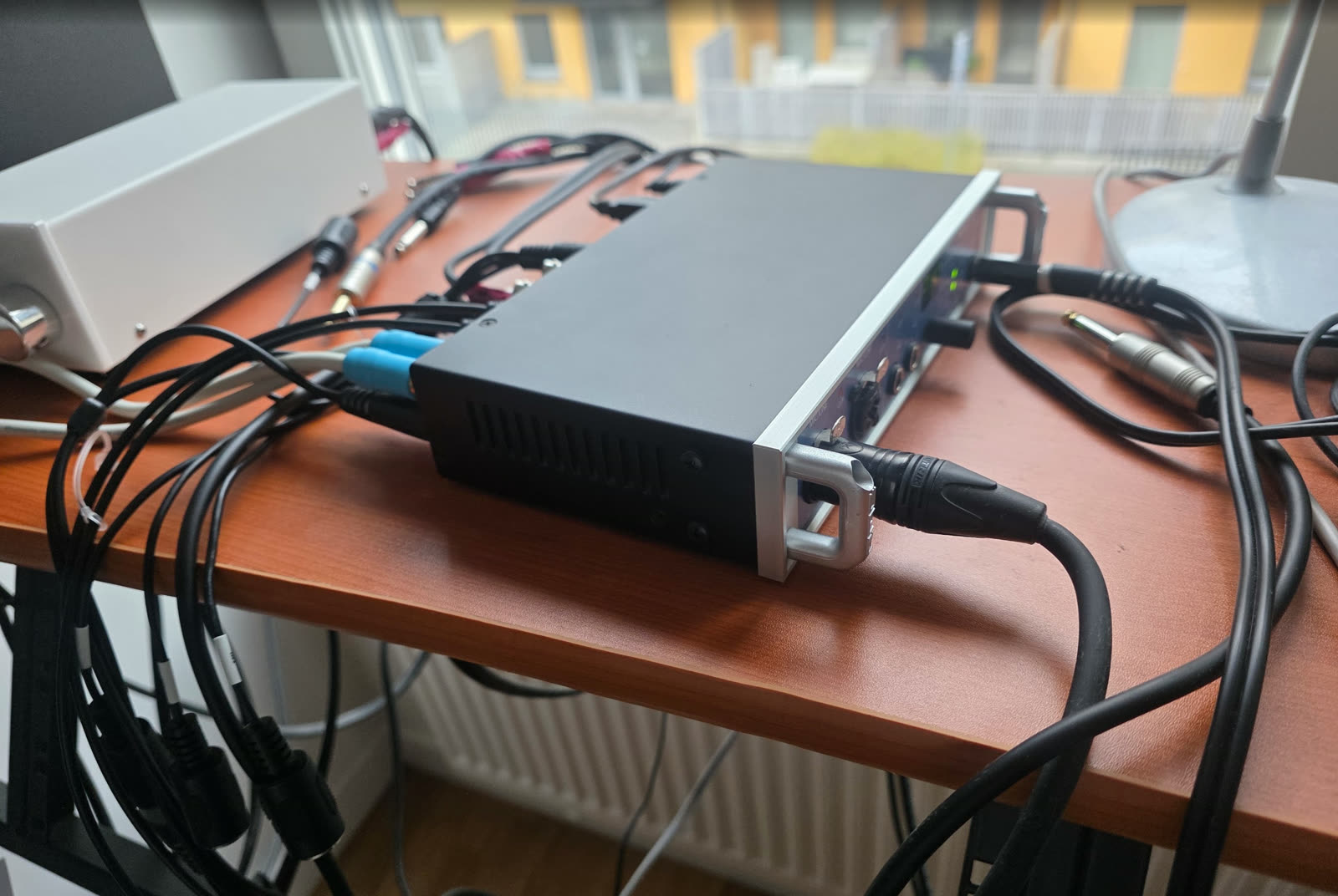
So most of the week was spent at the desk with different audio cables. I had something working very quickly, but getting further took a lot of hands-on work with the device: turning knobs, moving cables, restarting the unit, putting the computer to sleep while audio was playing.
A typical round was to loop a cable from an output back into an input, play a quiet test tone, change one setting and let Claude watch the unit's own level meters. One setting at a time, that's how the entire device got mapped out.
What I took away from it
What made a week enough was how the work was split. Claude did the slow reading, and I did the things that need someone in the room: deciding what to test next, moving cables, listening.
There's a lot of good gear out there with a closed control app and a Linux user who'd love to use all of it. If that's you, now is a good time to have a go.
Try it
If you have a first-generation Fireface UCX, the driver, the ucxtui mixer and install notes for
NixOS and other distributions are at
github.com/realbogart/fireface-ucx-linux.
It's MIT licensed and so far it's been tested on exactly one unit, so I'd love to hear how it works on yours.
The protocol is documented in the repository.
Thanks to RME for making an interface that's still this good so many years on, and worth all this effort.
Thanks to the authors of snd-firewire-ctl-services and oscmix, whose documentation of RME's command format I leaned on, and to REA for making this kind of work more accessible.